-
When interacting with the FlowFuse expert, you might be asked to search flows, select a node, or edit a node. Previously, this was presented as a set of text instructions. As of today, whenever possible, the Expert will provide clickable action links that will perform the operation for you.
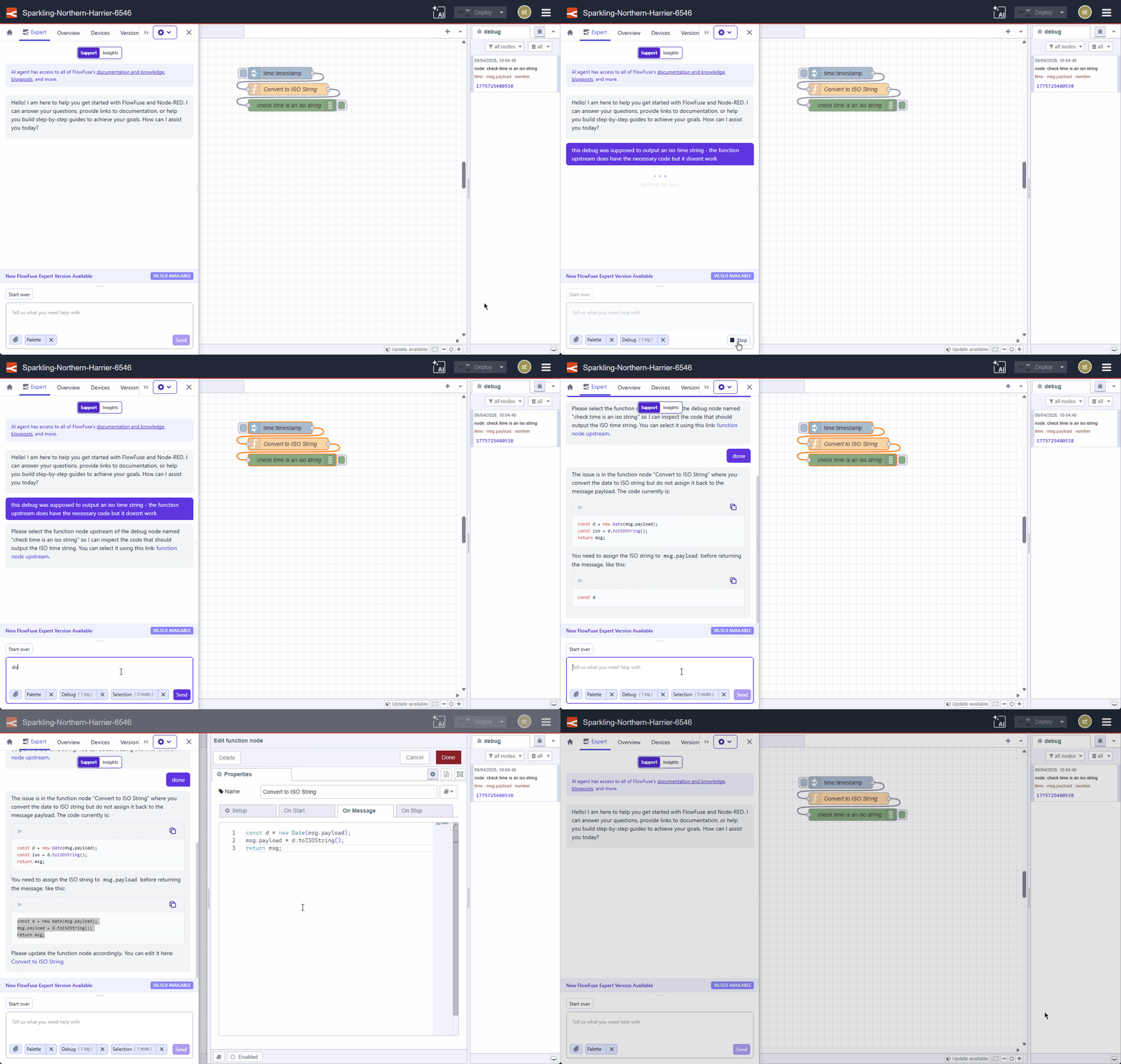
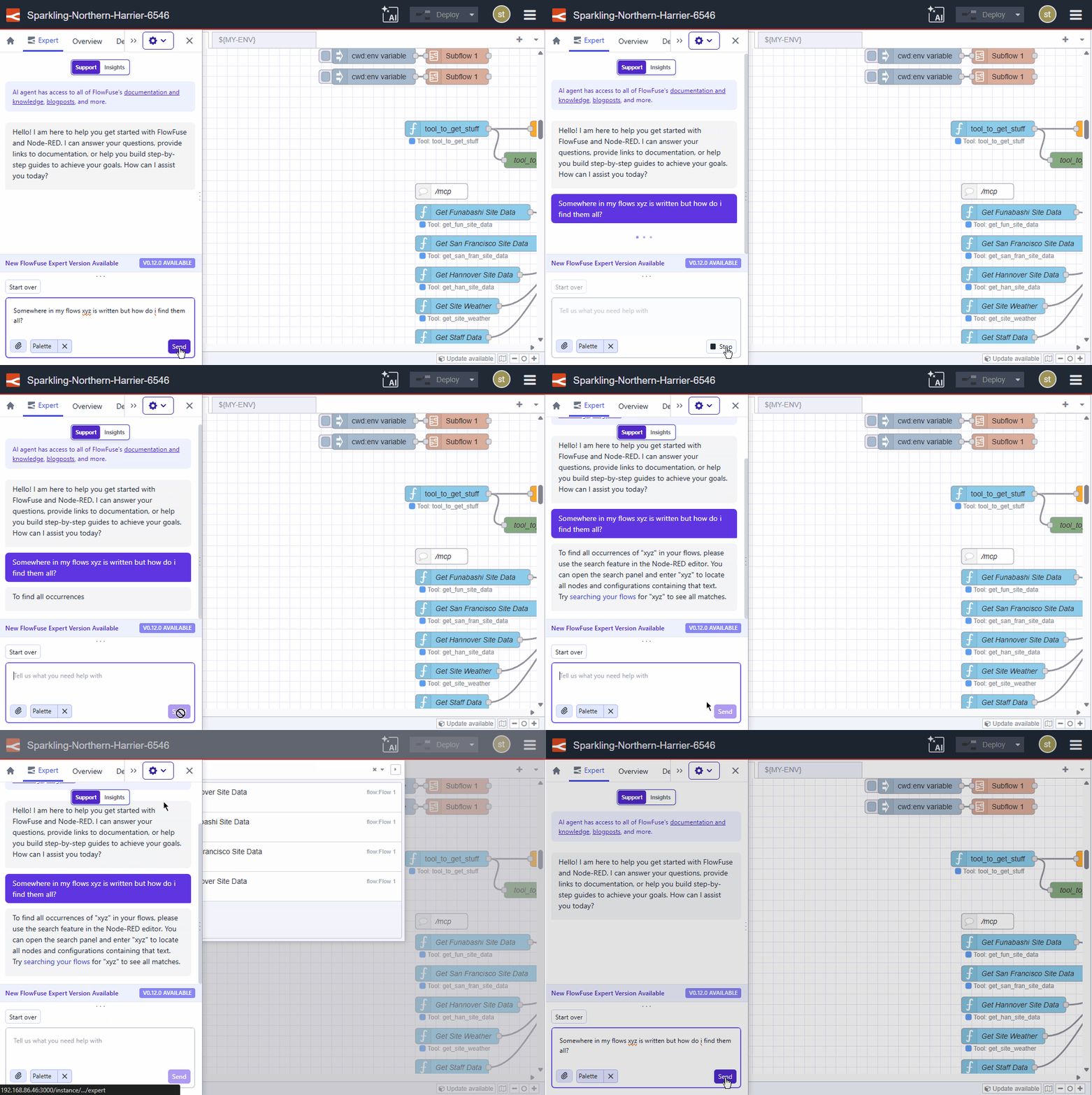
This feature requires Node-RED Assistant v0.12.0 or later.
This change is live on FlowFuse Cloud. Self-Hosted users will receive it in the next release (v2.29).
-
Your hosted instance now knows its own URL. The
FF_INSTANCE_URLenvironment variable is automatically available to your flows, so you can reference the instance's address without hardcoding it.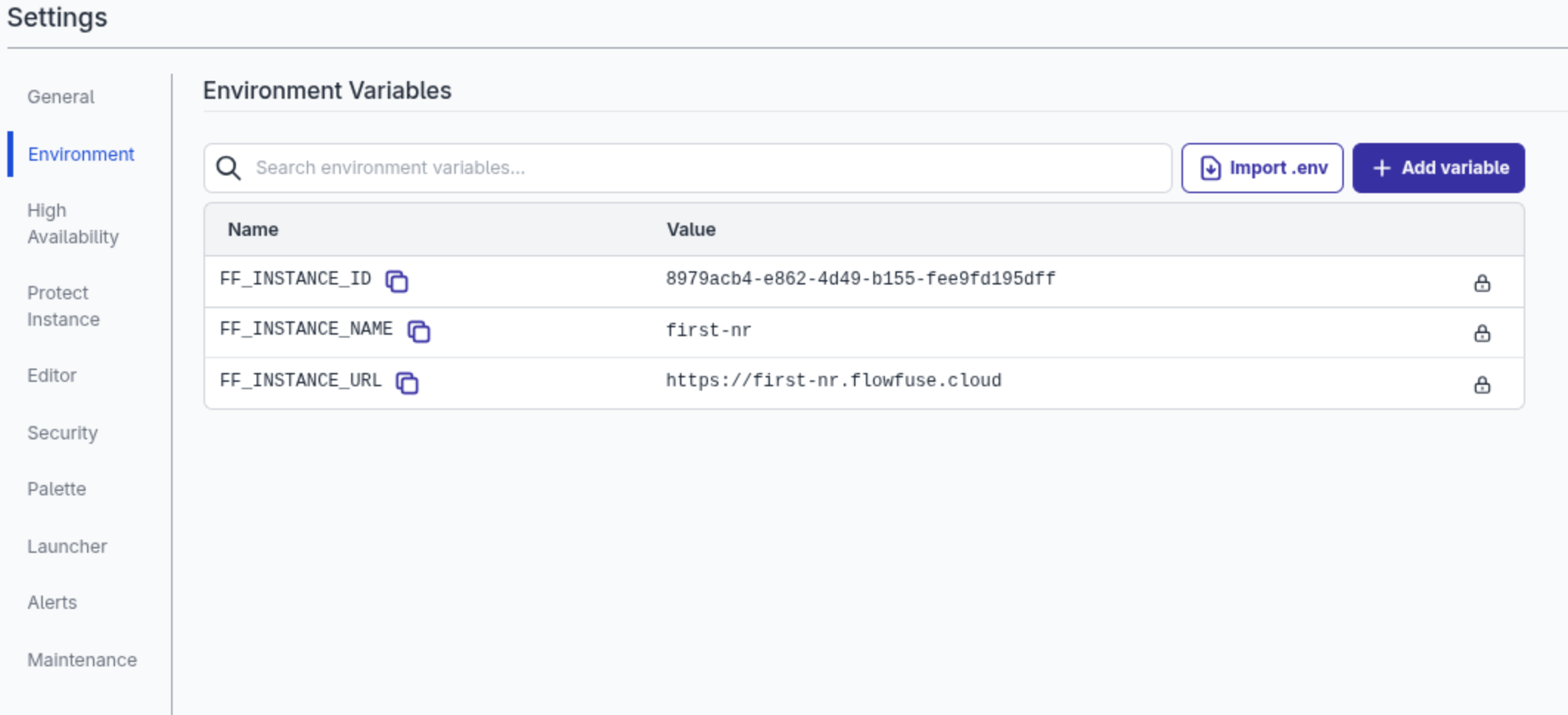
For Hosted Instances with a Custom Hostname that will be returned rather than the default Instance hostname.
Existing instances will need to be restarted to pick up the new Environment Variable.
This will be available to Self Hosted users from v2.29.0
-
Richer snapshot comparison view
Cloud All tiersSelf-Hosted All tiersPreviously, comparing snapshots only showed the two flow canvases overlaid at different opacities. You could see that something had changed, but not what or where.
Now when you compare two snapshots, a sidebar lists every changed, added, and deleted node. You can step through them one at a time — the canvas highlights and scrolls to the relevant node automatically. For each change you can see:
- Property diffs: each changed property is shown inline with the old and new value side by side.
- Code diffs: for function and template nodes, code changes appear as a line-level diff with red for removed lines and green for added — the same format you'd expect from a git diff.
Use the Prev / Next buttons or the ← → arrow keys to navigate through changes.
For the first time, teams can review a snapshot diff before deployment and actually trust what they're seeing — not just look at it.
This feature is available to all FlowFuse Cloud and Self Hosted users from v2.29.
-
View Snapshot Details in the Immersive Editor
Cloud All tiersSelf-Hosted All tiersYou can now open snapshot details from inside the immersive editor. Previously, clicking a snapshot from the Version History timeline or Snapshots list had no effect in the editor — the detail view was only available from the instance page in FlowFuse.
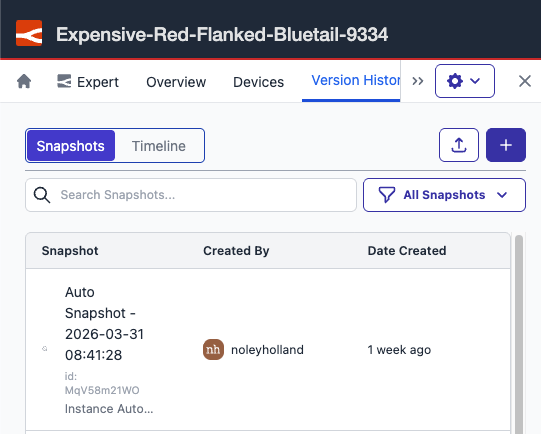
Snapshot details now open in a modal inside the immersive editor, so you can review and manage snapshots without leaving your editing session. The modal contains the same information as the snapshot detail view on the instance page.
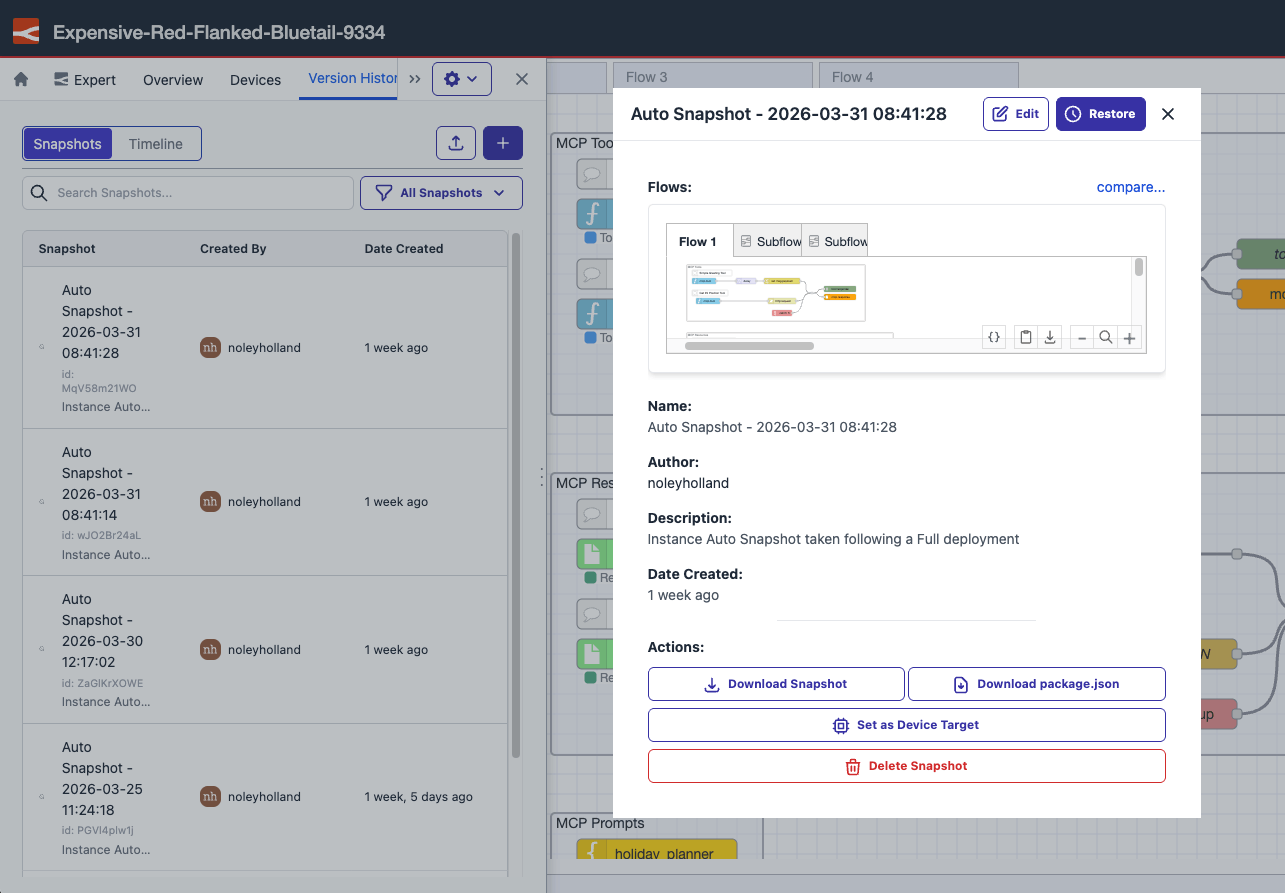
This feature is available to all FlowFuse Cloud users and all Self Hosted users from v2.29.
-
The Developer Mode tab is now available directly in the immersive editor drawer when working with remote instances. You can toggle auto snapshot and create snapshots without leaving the editor.
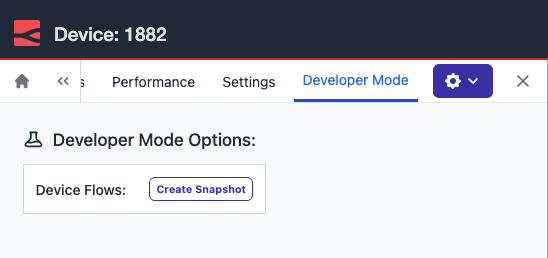
Previously, accessing Developer Mode meant opening a second browser window and navigating to the standalone device view — breaking your flow inside the editor and adding unnecessary friction, especially when working through a staged dev, test, and promote rollout.
This feature is available to Enterprise tier users of FlowFuse Cloud and Enterprise Licensed Self Hosted users from v2.29.
-
Embedded Editor Now Shows Active Tab
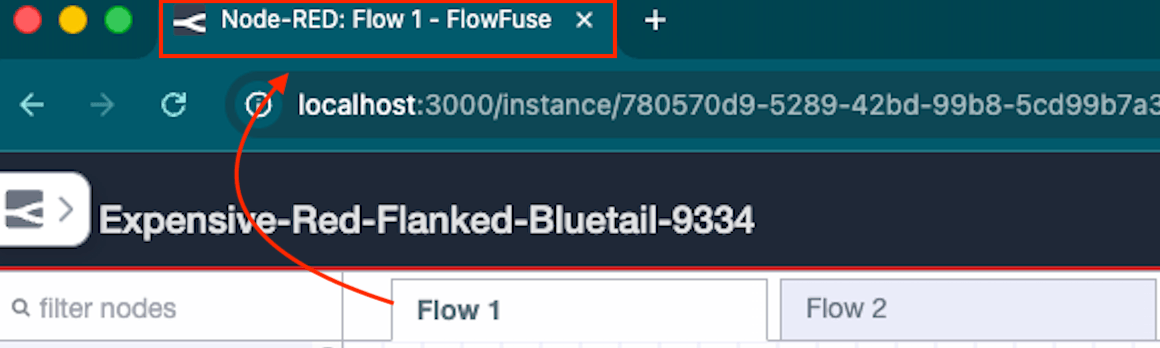
Cloud All tiersSelf-Hosted All tiersNow the browser tab title updates as you navigate the embedded editor. If you're working on a tab called "Sensor Flow", your browser will show
Node-RED: Sensor Flow - FlowFuse. This works for both hosted and remote device instances, and also updates when you navigate into a subflow.If you work with multiple editors open at once, you can now tell exactly what's open in each tab without clicking through.
Previously, the title stayed generic — something like
Instance - Editor - FlowFuse— regardless of which canvas tab was active. If you had multiple embedded editors open in different browser tabs, there was no way to tell them apart at a glance.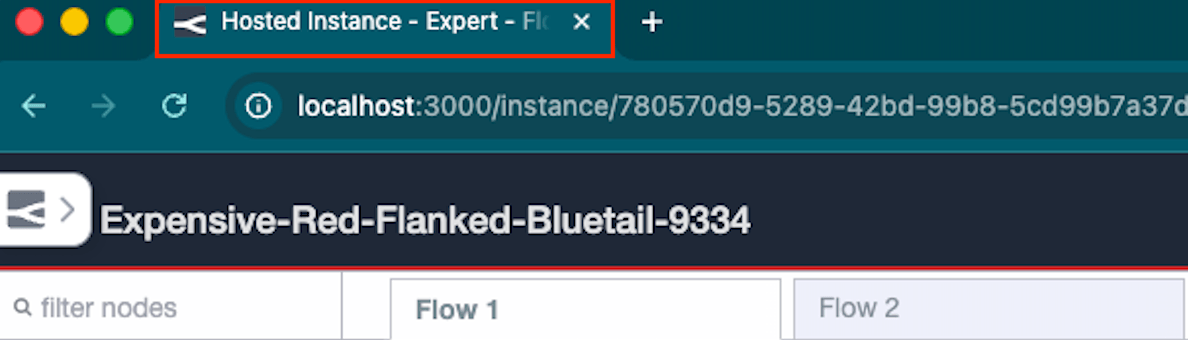
This feature requires Node-RED Assistant v0.12.0 or later. If you are on an older version of the assistant, the title will not update.
This change is live on FlowFuse Cloud. Self-Hosted users will receive it in the next release (v2.29).
-
Azure DevOps Pipeline support
Cloud Pro+Self-Hosted EnterpriseDevOps Pipeline Git Stages now support Azure DevOps repositories alongside GitHub.
If your team already uses Azure DevOps for CI and code review, you can now push and pull Snapshots directly as part of that workflow — no need to manage your Node-RED flows outside your existing tooling.
Add Personal Access Tokens under Team Settings → Integrations
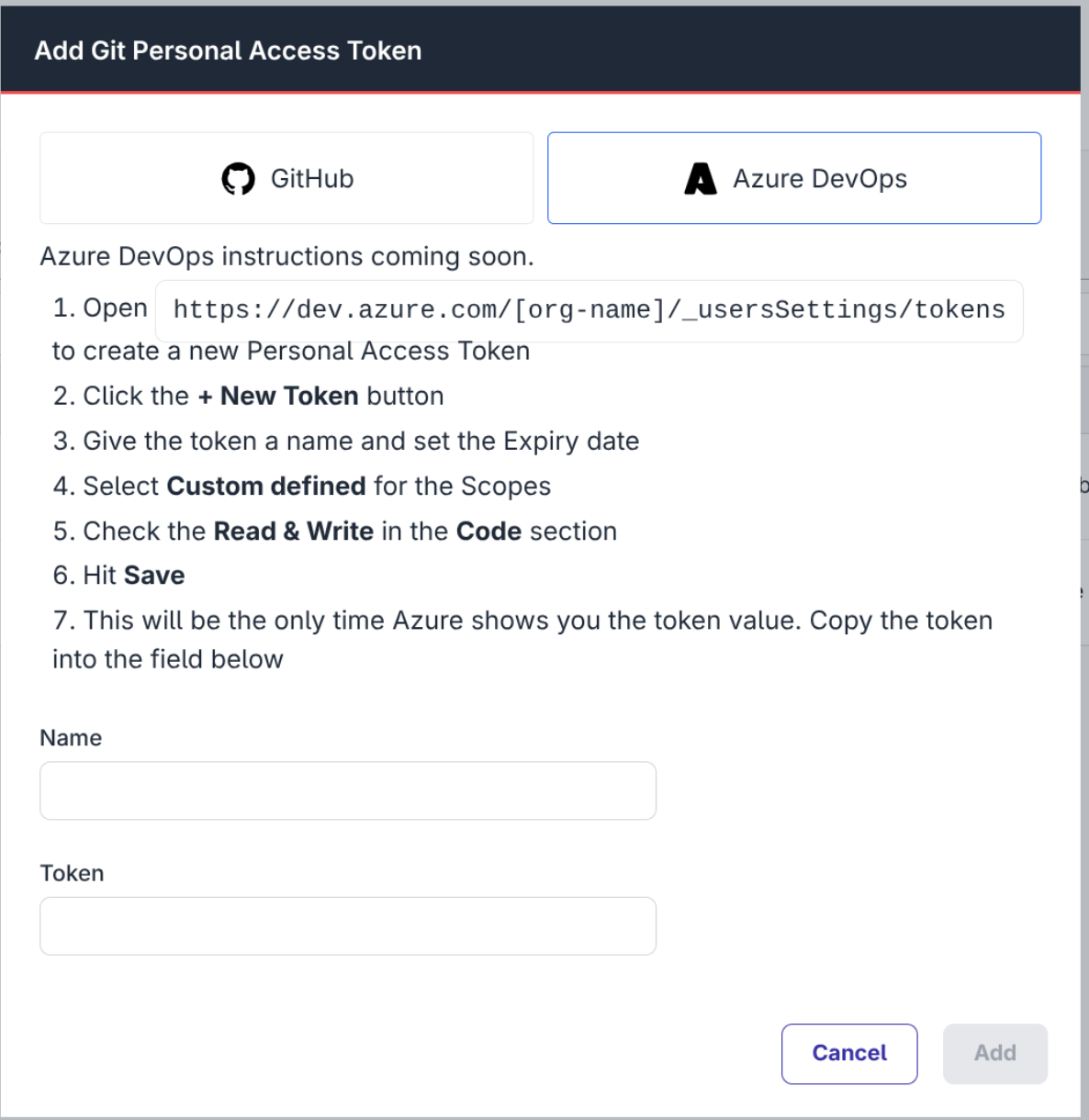
Pro and Enterprise customers on FlowFuse Cloud and Enterprise licensed Self Hosted users can use Azure DevOps repositories in their Pipelines from v2.29.
-
As part of our ongoing efforts to maintain our infrastructure, we need to update some of our servers that host Node-RED instances.
This will require restarting any hosted Node-RED instances running on those servers, leading to a short downtime whilst they restart. Remote instances on the edge are unaffected.
We will complete this migration during a 2 hour maintenance window starting at 8am UTC on Saturday 28th March 2026.
Note: the original version of this post had the incorrect date. The mainteance is scheduled for Saturday 28th March.
Will my instances be affected?
If your instance was created after 11th March 2026, or has been updated to the 2.28 release, it will already be running on the new servers.
Otherwise, you can take action to migrate your instance before the scheduled maintenance window at your own convenience.
If you manually suspend and restart your instance, or upgrade to 2.28 at any time before the maintenance window, your instance will not need to be restarted and no further action will be needed.
You can find the "Suspend" option from the "Actions" drop down menu on the Instance Overview page. Once the Instance reports being in the Suspended state, you can select "Start" from the same drop down menu.
We will be emailing notifications to all team owners who have instances that require a restart.
Enabling Scheduled Maintenance Mode
Keeping instances up to date is an important task to ensure they are running with the latest features and security fixes. FlowFuse provides the ability to select a time for updates to be automatically applied to your instances. You pick which day of the week and time the platform can schedule updates in. This removes the burden for keeping things up to date.
On FlowFuse Cloud, Starter teams already have this feature enabled for their instances to apply updates at the weekend.
Pro and Enterprise teams can opt-in on the Instance Settings - Maintenance page.
More information is available in the scheduled maintenance changelog entry.
-
FlowFuse Expert: Helping you make sense of your debug log
Cloud All tiersSelf-Hosted Enterprise (on request)As a flow developer, you know how frustrating it can be to have a bug or issue in your flows. You add a ton of debug nodes and add warning alerts to your functions to try and help you track it down. The logs can be a great source of information but you still need to figure out why it is happening! Why am I getting this error? Where did this log come from?
Now, you can ask the Expert!
We have added the ability to include individual log entries and a quick-add selection on the Resource Selector. Adding these logs alongside the related flows can further focus the AI on the issue and help you solve it.
Key Highlights:
- Laser Focus: Select individual log entries to provide specific context.
- Quick Add: Use the Resource Selector button to instantly pull in logs.
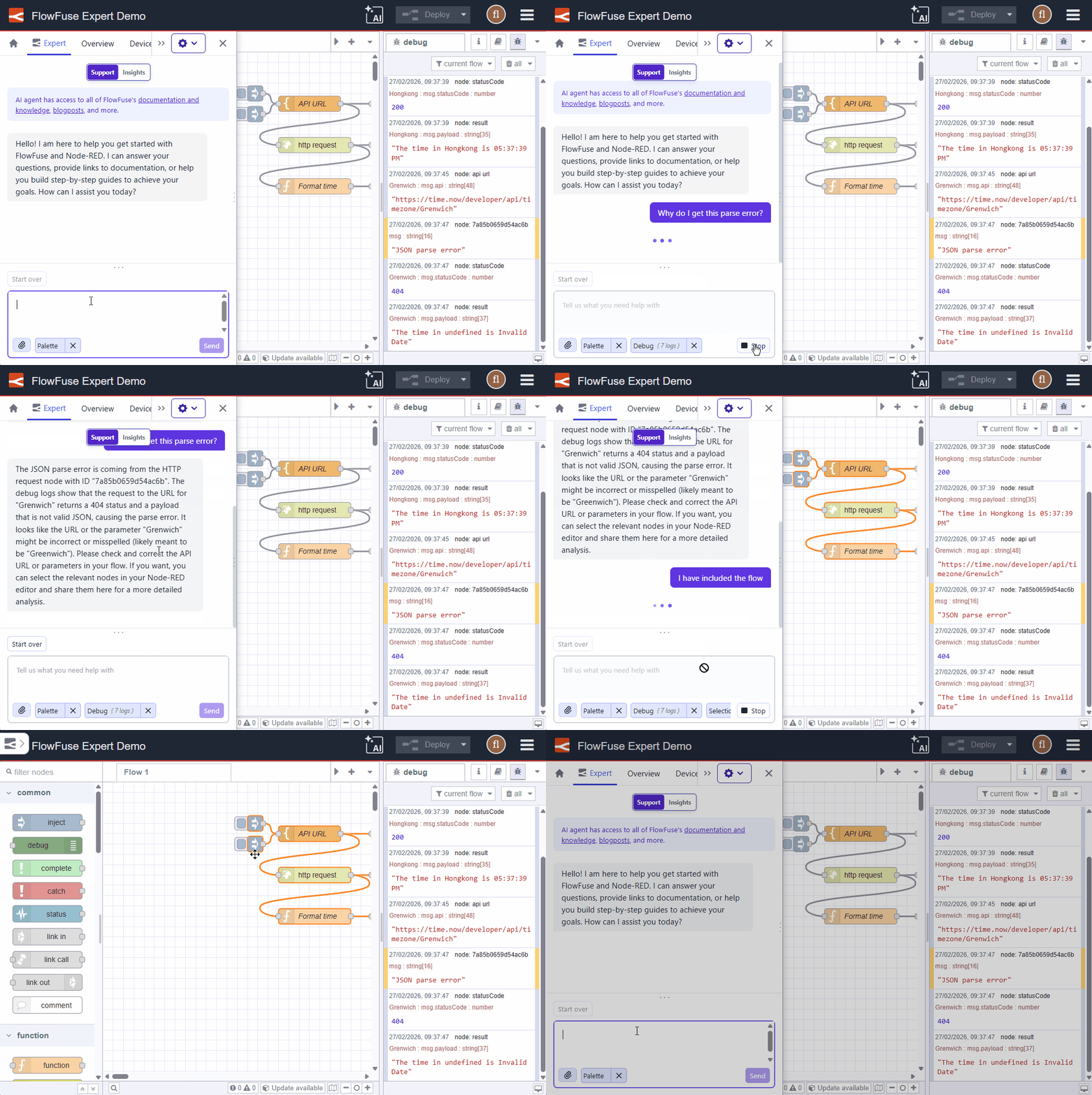
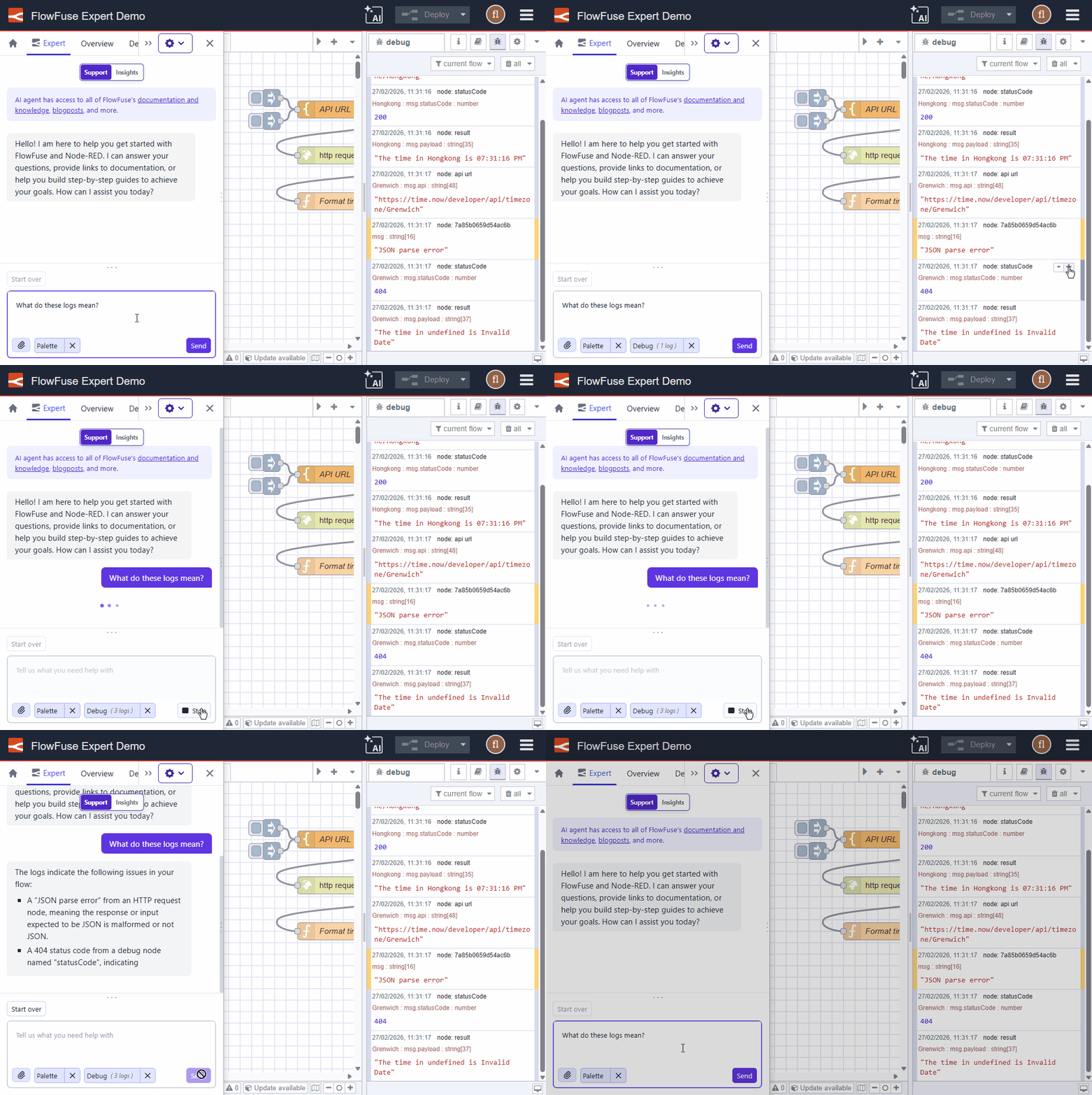
We are sure you will love this feature - and there is more to come too!
For more details, see Debug Context.
-
FlowFuse Expert: Never Miss an Update
Cloud All tiersSelf-Hosted Enterprise (on request)The Expert now shows a banner in the chat area when a newer version is available. One click and you are up to date.
FlowFuse Expert is updated regularly with new capabilities. This makes sure you always know when there is something new to try, without having to check manually.
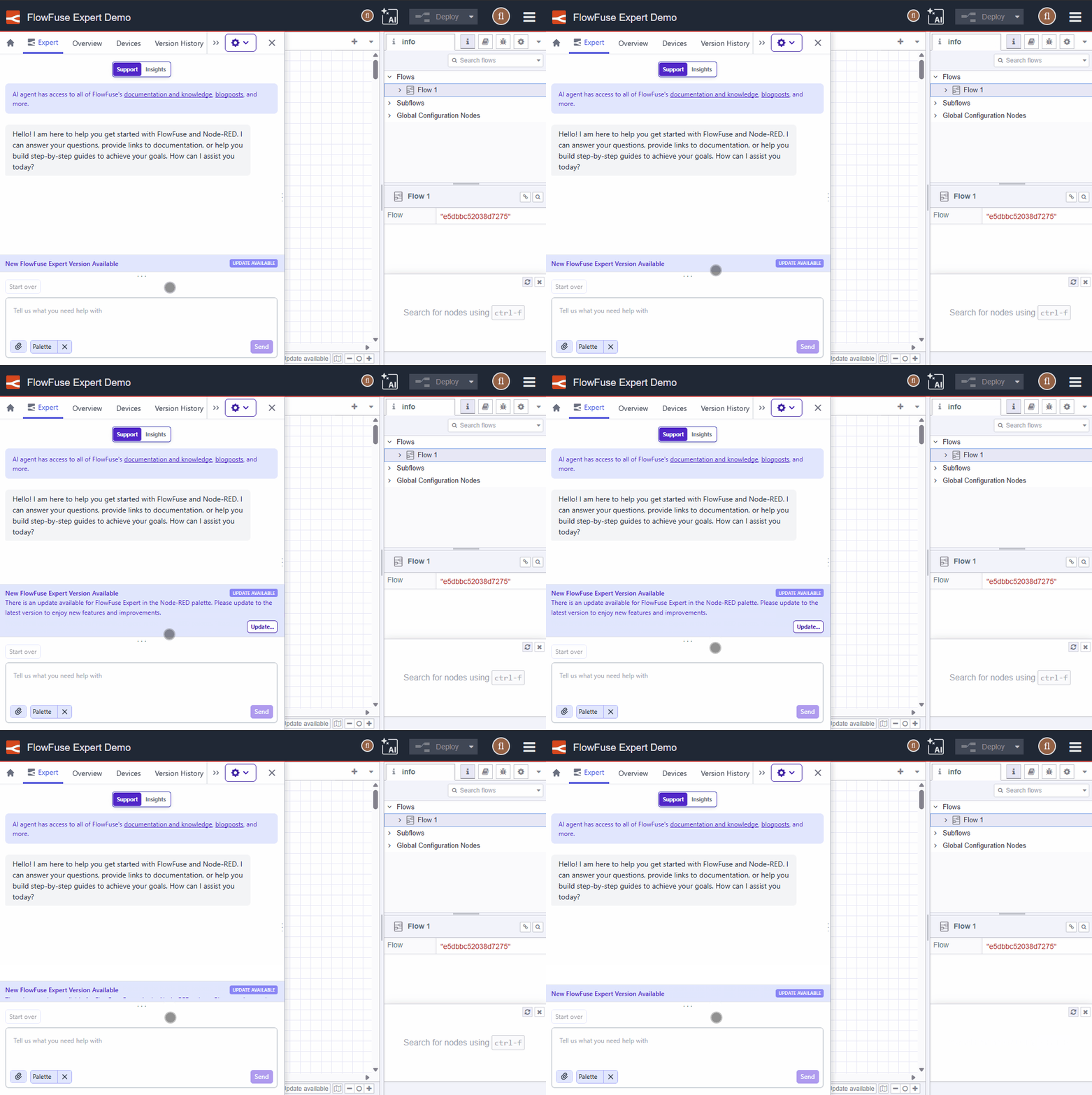
For more details, see Keeping Expert up to date.
-
Set Node.js Options for Remote Instances
Cloud All tiersSelf-Hosted All tiersFlowFuse Device Agent v3.8.1 adds support for setting Node.js command line arguments for Remote Instances.
This allows things like:
- Setting the Node.js heap size for memory-intensive flows
- Enabling
--use-openssl-ca(Linux) or--use-system-ca(Windows and macOS) to use private CA certificates
Node.js options can be configured in two ways:
1. Via the device agent command line
Use the
--node-optionsargument. This argument may be specified multiple times:flowfuse-device-agent -c /opt/flowfuse-device-agent/device.yml \
--node-options='--max-old-space-size=256' \
--node-options='--use-openssl-ca'2. Via the
device.ymlfileAdd a
nodeOptionssection:deviceId: xxxxxxx
forgeURL: https://app.flowfuse.com
token: xxxxxxxx
credentialSecret: xxxxx
nodeOptions:
- '--max-old-space-size=256'
- '--use-openssl-ca'For more details, see Configuring Node.js Options.
-
Device Agent version 3.8.0 has been released which brings a significant workflow improvement when editing your flows.
When the ability to remotely edit flows was introduced - known as 'developer mode' - we blocked the ability to push snapshots to a remote instance whilst in this mode. This protection makes sense when you're working on a remote instance, but still need to push updates out to the rest of your fleet through a pipeline deployment - you don't want the deployment from overwriting the work you're in the middle of.
However, there are cases where you want to rollback changes you've been making to a remote instance. Previously that would involve taking the instance out of developer mode, restoring the snapshot, then putting it back into developer mode to continue working. This is a lot of unnecessary steps and not an obvious workflow.
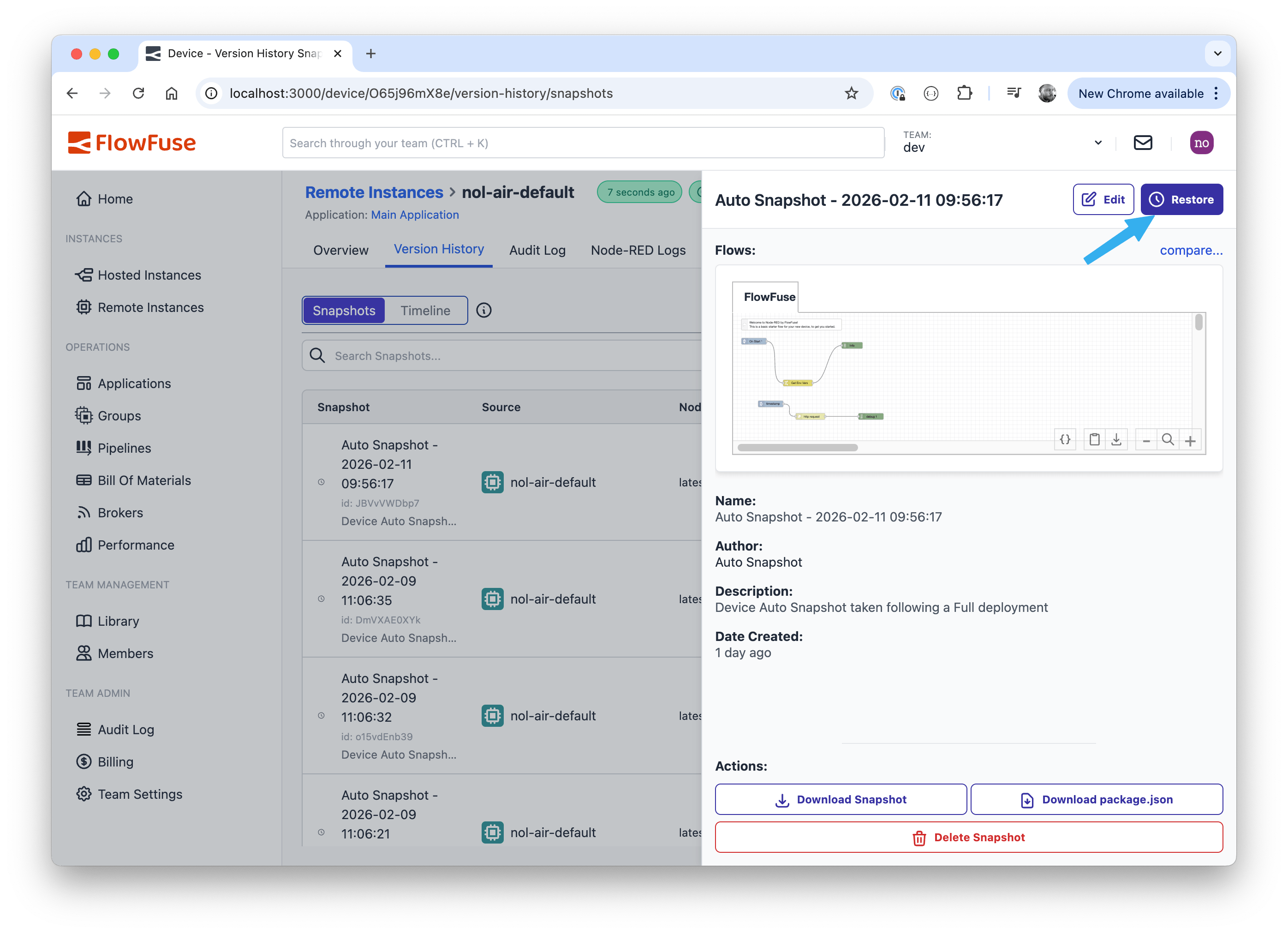
With the new v3.8.0 release of the Device Agent, it is now possible to manually restore snapshots without leaving developer mode:
- Open the Version History tab for the Remote Instance and switch the Snapshots view
- Click on the snapshot you want to use
- Click on the restore button in the snapshot sidebar
The existing protection that blocks pipeline-driven deploys of snapshots is still in place.
-
As part of FlowFuse v2.27.0 release the behavior of Hosted Node-RED instances with HA enabled has been updated to reduce the down time experienced.
Any action that triggers a restart of the Node-RED instance (manually triggered or as part of a Pipeline deploy) will now restart them in sequence rather than in parallel. This means that there should be no down time for this instance.
This feature is available to Enterprise Licensed Self Hosted users and Enterprise tier users of FlowFuse Cloud.
-
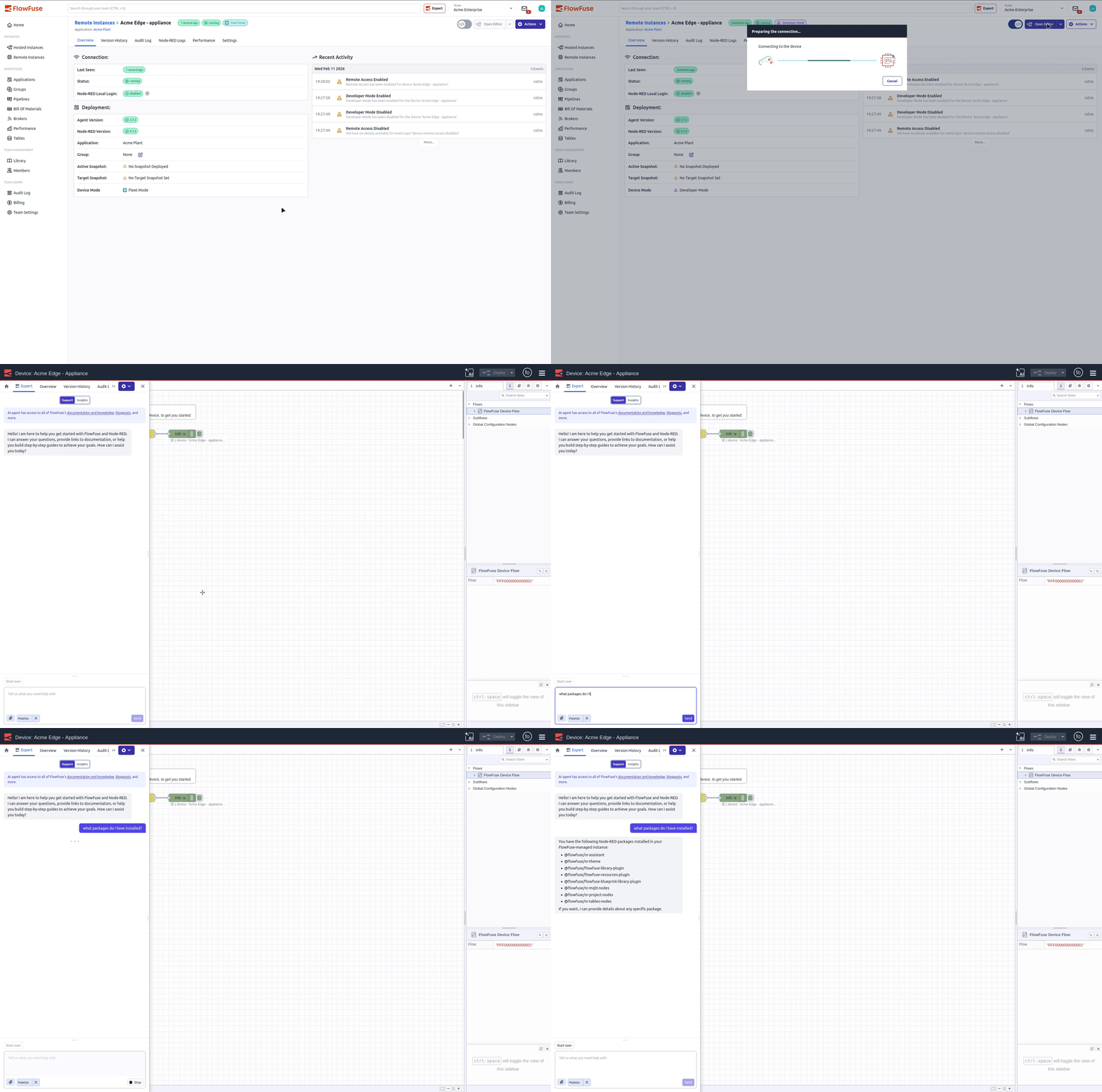
You can now access Immersive Mode when working with Remote Instances.
Immersive Mode gives you at-a-glance instance stats alongside the editor, while also enabling the FlowFuse Expert to help speed up development and debugging, especially when you’re working on the edge with remote devices.
Prefer the classic experience? The existing plain connection flow is still available: clicking the Open Editor dropdown selector includes an alternative option to be able to open the editor in the non-immersive mode.
-
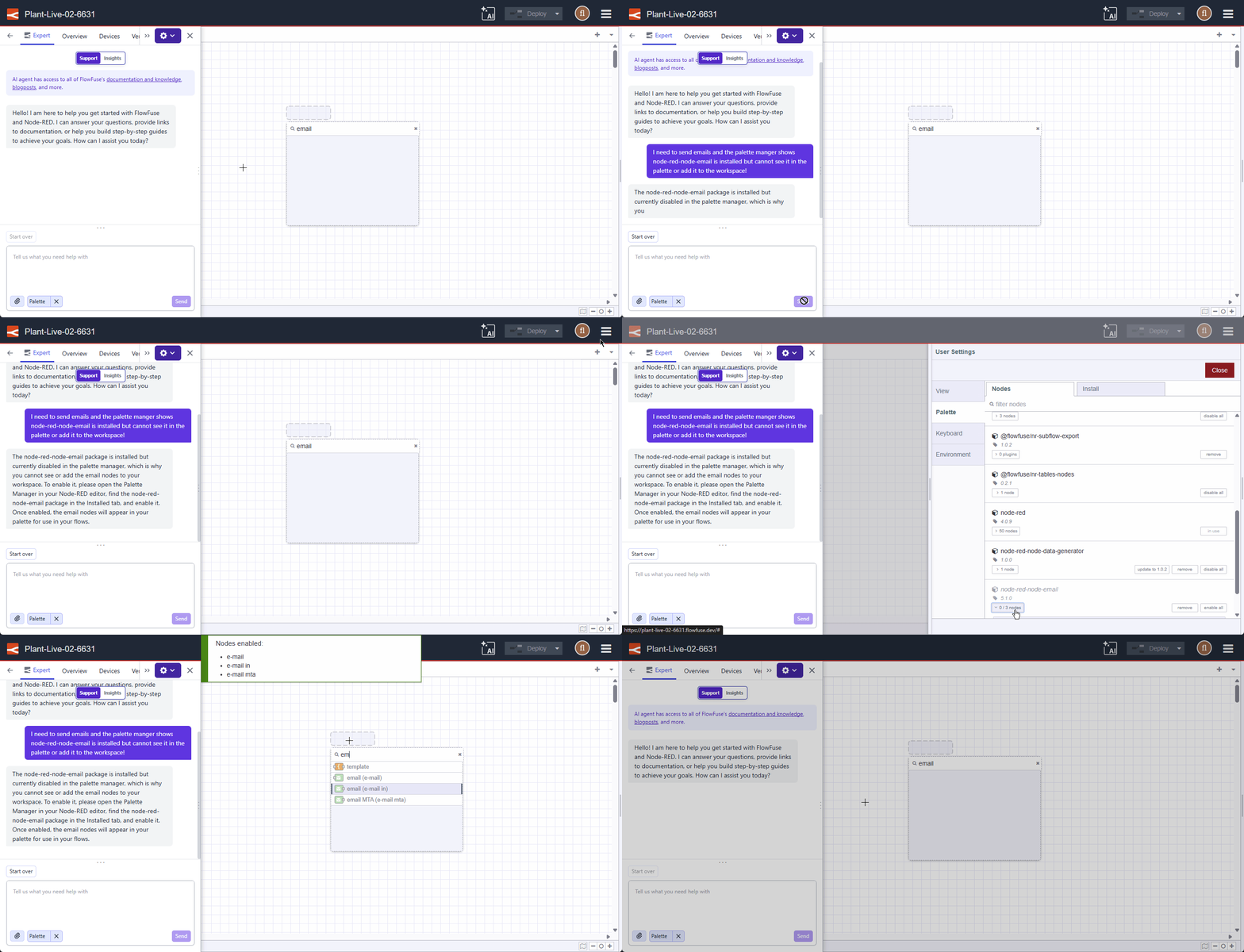
We are continuing to evolve the FlowFuse Expert by giving it deeper integration into your Node-RED environment. Starting today, the Expert has Palette Awareness.
You can now ask the Expert about your installed nodes, versions, and available updates without leaving the chat interface or needing to manually input said context. For example:
- Do I have any nodes installed that can send Emails?
- Are my palette nodes up to date?
- Are any nodes on my palette disabled?
- Can you suggest a node package that would replace this complex function code?
- or any question related to your palette.
This is one of several steps we are taking to bring additional context directly into your FlowFuse Expert to augment its capabilities and improve your workflow.
-
Need help with a specific flow?
The FlowFuse Expert now has the ability to include your flow selection as context, allowing you to ask specific questions about your logic and configuration.
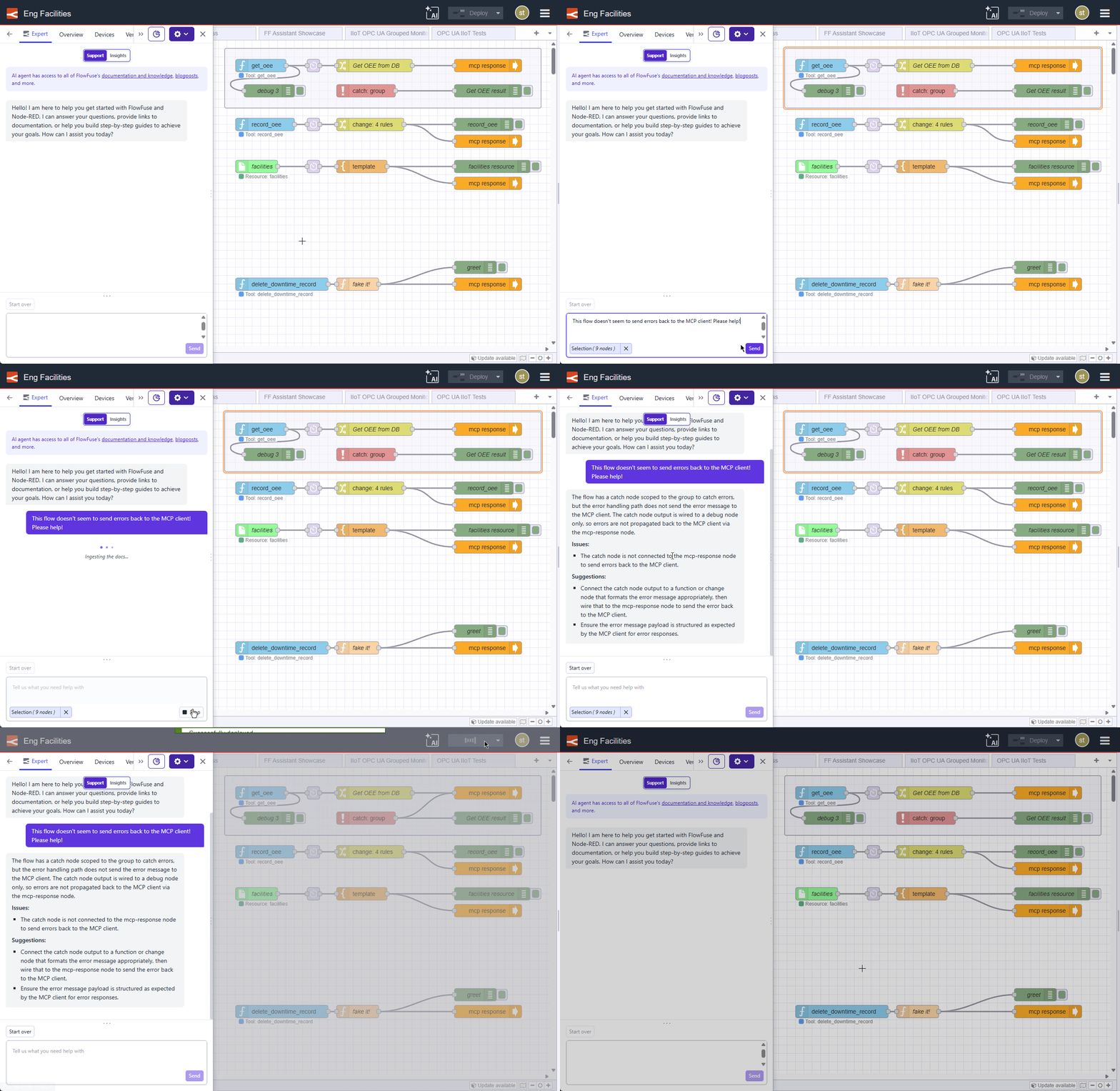
We are continuously adding new features to improve your development workflow, with more updates for the FlowFuse Expert on the horizon. We hope this makes your building experience even smoother.
-
We have started to see some Node-RED nodes dropping support for NodeJS v18. This is causing problems for users of our Device Agent docker container as that is still based on NodeJS v18.
To help move things forward, with the v3.7.2 release of the Device Agent, we are now publishing separate container images for both v18 and v20 under different tags.
The
latesttag will continue to point to the NodeJS v18 version for now for backwards compatibility. The next major release of the device agent will update thelatesttag to a newer NodeJS version - and may require a migration step if you are using the module cache feature. We'll share more details when that release arrives.With this update, the following tags are now available:
NodeJS 18
- flowfuse/device-agent:latest
- flowfuse/device-agent:latest-18
- flowfuse/device-agent:v3.7.2
- flowfuse/device-agent:v3.7.2-18
NodeJS 20
- flowfuse/device-agent:latest-20
- flowfuse/device-agent:v3.7.2-20
-
The FlowFuse Expert recently gained the ability to suggest and install node packages directly within your workflow (see our previous post on FlowFuse Expert: Integration with Node-RED).
Today, we've streamlined this experience. The Expert now detects if a suggested node is already present in your instance. Instead of a showing the "Install" button, you’ll now see a "Manage" button that takes you directly to the Palette Manager.
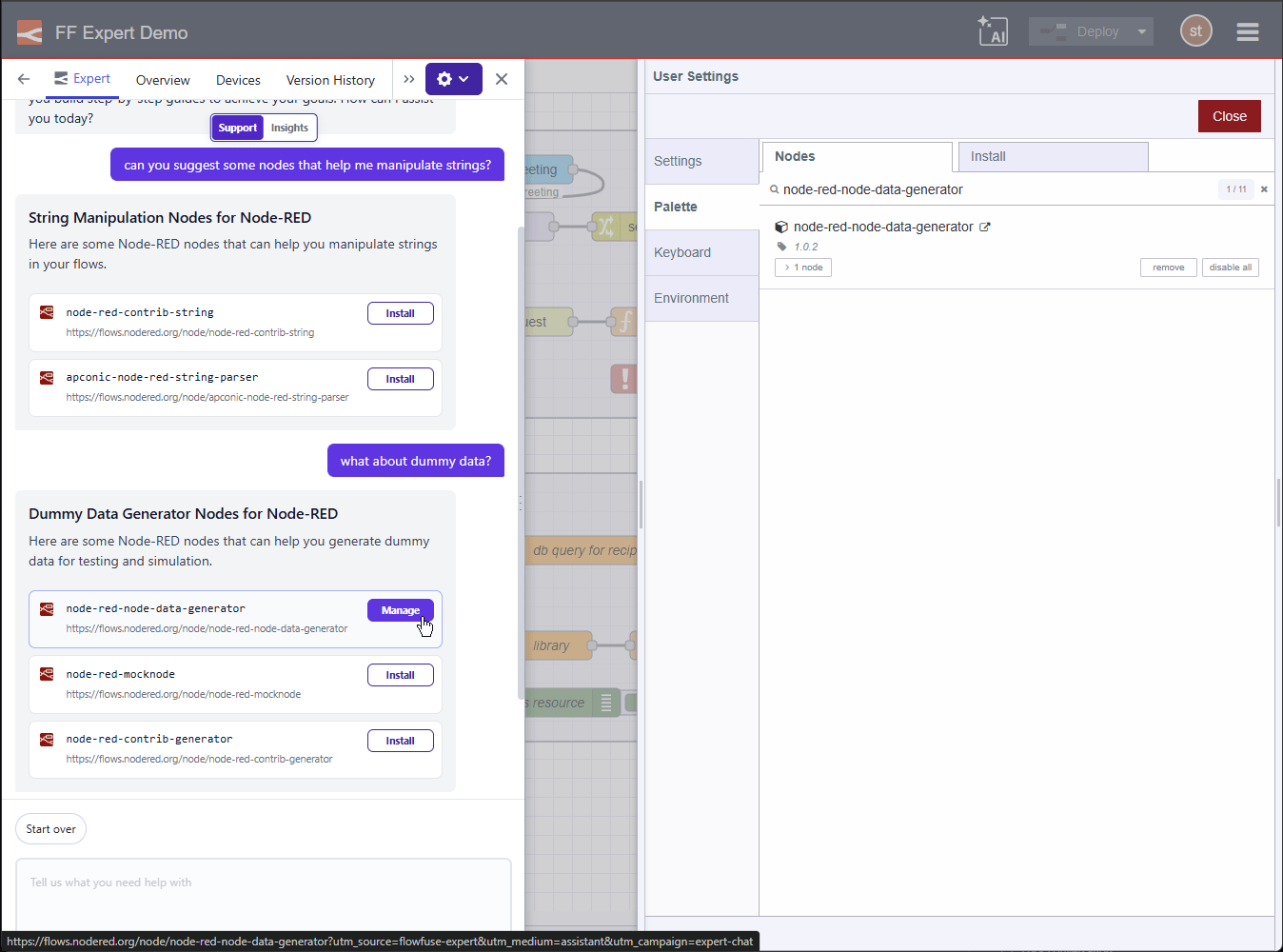
This improvement reduces friction when updating or configuring your existing nodes. These workflow integrations are just the beginning of our plans for the FlowFuse Expert. We're excited to see how much time they save you!
-
FlowFuse Expert Insights just got a little bit better.
What is FlowFuse Expert Insights?
In case you are new to this feature, checkout out some of our previous blog posts:
What's new?
With this update, the MCP servers you protected behind FlowFuse User Authentication can now be accessed and queried in the FlowFuse Expert too.
Note: The FlowFuse Expert Insights feature is currently in Beta. We are actively expanding its capabilities. We would love to hear how you are using MCP to extend your systems.